

You do not need an exchange account to swap crypto. A non-custodial wallet lets you trade one coin for another inside the app while you keep your own keys. But the best non-custodial wallet depends on fees, supported chains and safety tools.
This guide compares seven popular wallets to help you pick the best web3 wallet for swaps, shows what a swap costs, and walks you through a first swap.
Quick Answer
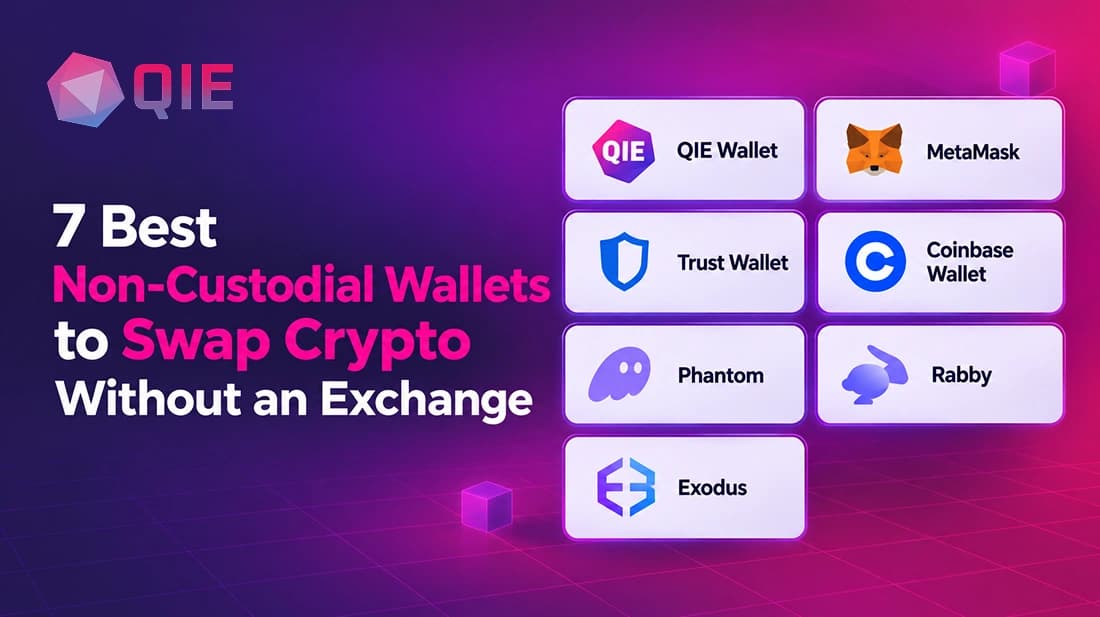
A non-custodial wallet lets you swap one coin for another inside the app while you keep your private keys, so there is no exchange account or sign-up. The best non-custodial wallet depends on the chains you use, and the best web3 wallet for you depends on the fee you accept. Here is who each of the seven suits:
- •QIE Wallet: swaps, staking and a readable QIE ID in one app, with a 0.5% swap fee and 9 chains, including Bitcoin, Ethereum, Solana, Tron and TON.
- •MetaMask: aggregated quotes across 19 listed networks, with a 0.875% fee, the highest stated here.
- •Rabby: careful EVM traders. It previews the balance change before you sign.
- •Phantom: Solana users, with support for several other networks.
- •Trust Wallet: 100+ blockchains and limit orders on mobile, with no extra service fee.
- •Coinbase Wallet and Exodus: simple swaps in a familiar app. Exodus lists fees starting at 0.5%, and Coinbase Wallet does not publish a flat fee.
A swap costs three things: the wallet fee, the network gas fee and slippage. Check the “you receive” amount before you confirm.
What does it mean to swap crypto without an exchange?
To swap crypto without an exchange means trading one coin for another inside your own wallet. Your private keys stay with you the whole time.
A non-custodial wallet is a wallet where you hold the private keys, not a company. People also call it a self-custody wallet.
A DEX, short for decentralized exchange, is a trading service run by smart contracts instead of a company. A DEX wallet connects you to these services from inside the app.
In the custodial vs non-custodial wallet question, a custodial wallet means a company holds your keys and can freeze your funds. With a non-custodial wallet, only you hold them. A web3 decentralized wallet lets you connect straight to apps and DeFi services without a middleman. A multi-chain wallet adds one more thing: it handles coins from many blockchains in one place.
New to swapping? This beginner’s guide to swapping crypto walks through the basics. If you are new to wallets in general, start with our crypto wallet for beginners guide.
Wallet swap vs exchange swap
The main difference is who holds your money during the trade. In a wallet swap, you do. In an exchange swap, the exchange does.
| Factor | Wallet swap | Exchange swap |
|---|---|---|
| Custody | You keep your keys | Exchange holds your funds |
| Account needed | Yes | Yes, usually with ID checks |
| Fees | Swap fee plus network gas | Trading fee, sometimes withdrawal fee |
| Privacy | Higher | Lower, identity is on file |
| Ease of use | A few taps in the app | Deposit, trade, then withdraw |
| Risk if the company fails | Your funds stay with you | Your funds may be stuck |
| Support if you make a mistake | None. Transactions cannot be undone | Support team, though funds may not return |
The tradeoff is responsibility. A self-custody wallet gives you control, but nobody can reset a lost recovery phrase for you. Write it down offline and keep it safe. For more on this, see custodial vs non-custodial wallets.
How in-wallet swaps work
An in-wallet swap asks outside liquidity providers for a price, then settles the trade on the blockchain from your own address.
When you pick two coins and an amount, the wallet asks its partners for prices. You approve the trade with your key, which stays on your device.
A cross chain swap crypto route moves value from one blockchain to another, and some wallets use an aggregator that finds the best path. QIE Wallet swaps through an aggregator such as Changelly to exchange assets natively, so you receive the actual asset on the destination chain rather than a wrapped copy.
Other wallets, such as MetaMask, use bridge aggregators like LI.FI and Socket.
How we picked these wallets
We compared each wallet on the same points:
- Chains: how many blockchains it supports.
- Swap fee: what the wallet itself charges, where it states one.
- Cross-chain swaps: whether you can swap between different blockchains.
- Ease of use: how simple it feels on a phone.
- Security: who holds the keys, and what tools protect you from bad approvals.
- Fit: who the wallet suits best.
Fees and chain lists change often. We checked each wallet’s own pages in October 2026. Fees and chain lists come from each wallet’s own help pages, documentation or announcements.
7 best crypto wallets for swapping crypto: a comparison
| Wallet | Chains | Swap fee | Cross-chain swaps | Best for | Watch out for |
|---|---|---|---|---|---|
| QIE Wallet | 9, including Bitcoin, Ethereum, BNB Chain, Solana, Tron, Avalanche, Polygon, Arbitrum and TON | 0.5% upfront | Yes, via an aggregator such as Changelly | One app for swaps, staking and a readable ID | Cardano, Sui and Aptos are still coming soon |
| MetaMask | 19 networks listed for swaps, including Bitcoin, Solana and Tron | 0.875% | Yes, through bridge aggregators (LI.FI, Socket) | Aggregated quotes on many networks | Highest stated fee in this list |
| Trust Wallet | 100+ blockchains | No extra service fee; provider and gas fees apply | Yes | Mobile swaps, limit orders | Provider fees are built into each quote |
| Coinbase Wallet | Dozens of chains, including BTC, ETH and SOL | Not published | Yes, "across chains" | Users in the Coinbase ecosystem | Fee not published, so check the quote |
| Phantom | Solana, Ethereum and other EVM networks (including Base), and Bitcoin | 0.85% on most swaps; free when swapping supported stablecoins into a Phantom Cash account | Yes, through bridge providers (LI.FI, Relay, deBridge, Garden); bridge fees can come on top | Solana users | Network list and fees change, so check the in-app quote |
| Rabby | Ethereum and all EVM chains | 0.25% in its built-in swap per Rabby's 2024 announcement; Rabby has also advertised zero-fee swaps on some apps | Not confirmed in sources we checked | Careful EVM traders | EVM only, and the fee can differ by app version |
| Exodus | Multiple networks, listed in the app | Starting at 0.5%, plus a possible spread and network fee | Yes, through its XO Swap aggregator | Simple in-app swaps | Provider-set minimum and maximum amounts |
Which is the best web3 wallet for you?
Match the wallet to your habit:
- Best web3 wallet for one-app simplicity: QIE Wallet. Swaps, staking, a free QIE ID and the QIE Pass identity are in one app.
- Best web3 wallet for EVM power users: MetaMask, for the widest set of connected apps and aggregated quotes.
- Best DeFi wallet for safety on EVM chains: Rabby, because it previews the balance change before you sign.
- Best decentralized wallet for Solana: Phantom, built for the Solana ecosystem.
- Best for many chains on mobile: QIE Wallet, for managing assets across multiple blockchain networks. Trust Wallet, with 100+ blockchains and limit orders.
- Best for simple desktop and mobile swaps: Exodus & QIE Wallet
There is no single best non-custodial wallet. Choose by the chains you use, the fee you accept and the tools you need.
7 best crypto wallets for swapping: individual reviews
1. QIE Wallet
QIE Wallet is a multi-chain wallet for people who want one app for swapping, staking and identity. It supports 9 chains, including Bitcoin, Ethereum, BNB Chain, Solana, Tron, Avalanche, Polygon, Arbitrum and TON. Cardano, Sui and Aptos are listed as coming soon.
QIE Wallet charges a 0.5% upfront swap fee with no hidden charges, and fees are shown before you confirm. Swaps usually finish within seconds to a few minutes.
It also works as an identity wallet. You get a free QIE ID, so you send to alex.qie instead of a long address. QIE Pass lets you verify once and reuse that identity at partner platforms. Stakers of the QIE token unlock up to 50% off IDs and free partner subscriptions such as Galaxi and Qbots.
Watch out for: it has fewer chains than competitors, and some networks are still coming soon. Check that your coin is listed before you move funds.
2. MetaMask
MetaMask lists 19 networks, including Ethereum, Bitcoin, Solana, Tron, Base, Polygon, BNB Chain and Arbitrum. For cross-chain swaps it uses bridge aggregators such as LI.FI and Socket.
MetaMask charges a 0.875% fee on top of the quote rate and network fee.
Watch out for: the fee is the highest stated in this list. Compare the full quote before you confirm.
3. Trust Wallet
Trust Wallet offers swaps in its mobile app and browser extension. Its swap page lists 1M+ swap pairs and says it adds no extra service fee for swaps. Limit orders are live, so you can set an exact price and let the trade run on its own.
Watch out for: provider fees are built into every quote, and network gas fees depend on network conditions.
4. Coinbase Wallet
Coinbase Wallet is a self-custodial, multi-chain wallet. It lists crypto, stocks, commodities and prediction markets, plus instant swaps across chains.
Watch out for: it does not publish swap fees on its page, so read the quote screen. It also reaches well beyond crypto, so check that the tools you want are available for your coins.
5. Phantom
Phantom started on Solana and now supports swaps on Solana, Ethereum and other EVM networks (including Base), and Bitcoin, per its help center. It charges a 0.85% fee on most swaps. Swapping supported stablecoins (USDC, USDT, USDG and PYUSD) into a Phantom Cash account is free. A swap can also include a network fee and price impact.
For cross-chain swaps, Phantom uses bridge providers including LI.FI, Relay, deBridge and Garden. Its bridge provider fees are typically around 0.3% on top of Phantom’s fee, and that a bridge can take from a few minutes to an hour.
Watch out for: the network list and fees change often. Check the in-app quote before you confirm.
6. Rabby
Rabby focuses on Ethereum and all EVM chains. It runs as a browser extension, a mobile app and a desktop app. Rabby’s own posts say it previews the balance change before you sign and compares rates across top swap sources.
On fees, Rabby announced a 0.25% fee in its built-in swap in 2024, and it has also advertised zero-fee swaps on some of its apps. Check the quote in the version you use.
Watch out for: it is EVM only, so it will not cover Bitcoin or Solana.
7. Exodus
You swap inside the Exodus app, and swaps run through third-party providers. Exodus swap experience has fees starting at 0.5%, and its support page says swaps may include a spread plus a network transaction fee, which Exodus passes on to the network. For cross-chain swaps it has XO Swap, a cross-chain aggregator.
Watch out for: each swap has a minimum and a maximum amount, set by the provider and shifting with liquidity and market conditions.
How to swap crypto: your first swap in 7 steps
Here is the QIE Wallet version. QIE Wallet runs on iOS, Android and as a Chrome extension.
Install the wallet
Get it only from the official store or site.
Create your wallet
Your private key is generated on your device and never leaves it.
Back up the recovery phrase offline
Write it on paper. A photo or cloud note is the wrong place for it.
Add funds
Send coins in, or buy crypto through the in-app option.
Open Swap
Choose the coin you have and the coin you want.
Enter an amount and review
Check the rate, the fee and the amount you will receive.
Confirm and track
Approve with your key, then watch the trade in your swap history.
Start with a small test swap first.
How to compare two swap quotes
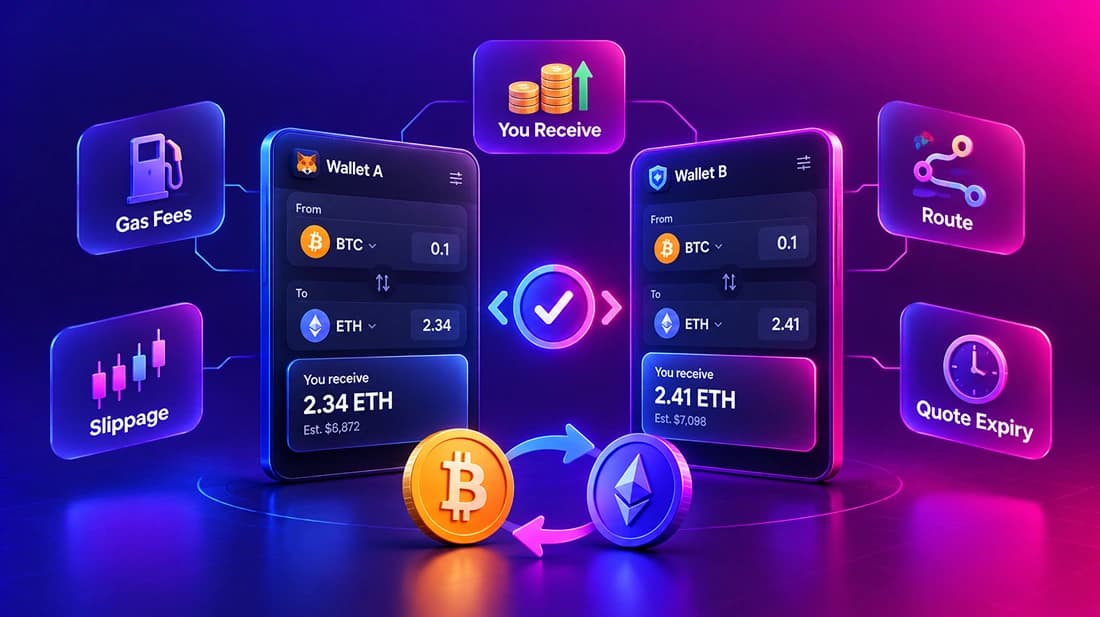
Two wallets can show the same pair at different prices. Compare them on the same terms:
Look at "you receive", not the fee line
The amount that lands in your wallet is the real result.
Include gas
A low swap fee on a busy network can still cost more than a higher fee on a cheap chain.
Check the route
A longer cross-chain route usually adds fees and time.
Check slippage settings
A loose setting can let the price move against you.
Re-check after a minute
Quotes expire, and prices move.
5 crypto swap mistakes to avoid
- Swapping the wrong token. Fake tokens copy real names. Check the contract address.
- Approving unlimited spending. Approve only what the swap needs, and revoke old approvals.
- Ignoring the network. The same coin can exist on several chains. Make sure the destination chain matches your plan.
- Forgetting gas. You need the chain’s native coin to pay the network fee. Keep a small amount.
- Rushing a large swap. Test with a small amount first.
What a swap really costs you
A swap has three costs: the wallet’s swap fee, the network gas fee, and slippage. Add them up before you confirm.
- Swap fee: what the wallet or its provider charges. QIE Wallet charges 0.5%, and MetaMask states 0.875%.
- Gas fee: what the blockchain charges to process the trade. It moves with network traffic, so the same swap can cost more on a busy day.
- Slippage: the gap between the price you saw and the price you got, because the market moved. Low liquidity makes it worse.
Here is an example. On a $100 swap, a 0.5% fee is $0.50 and a 0.875% fee is $0.875. Gas and slippage come on top of either one.
Gas is why chain choice matters. Ethereum fees can climb during congestion. That is why people look for the cheapest way to swap crypto on a cheaper chain. Always check the quote screen first, since it shows the fees before you commit.
How to swap crypto safely
A few habits cover most of the risk.
- Check the token address. Fake tokens copy real names. Confirm the contract address on the project’s official site.
- Read what you sign. An approval can let a contract spend your tokens. Some wallets, such as Rabby, preview the balance change before you sign.
- Skip links in messages. Open the wallet app yourself. Never type your recovery phrase into a website.
- Use a hardware wallet for large sums. A separate device keeps keys offline.
- Start small. Test a swap with a small amount before you move a large one.
In QIE Wallet your key is generated on your device and never leaves it, and QIE has no access to your funds. That protects you from the company, but phishing still works on anyone, so the habits above still apply. For more, read how to store crypto safely.
If you hold stablecoins, see our guide to the top self-custody wallets for USDT. If you hold several coins, see the wallets to manage Ethereum, Solana and Bitcoin.
Conclusion
There is no single best web3 wallet for every swap. Pick the wallet that matches your chains, your fee limit and your skill level.
QIE Wallet gives a 0.5% swap fee, 9 chains (including Bitcoin, Ethereum, Solana and Tron), 1,000+ coins, staking and a readable ID in one app. MetaMask, Rabby, Phantom, Trust Wallet, Coinbase Wallet and Exodus each fit a different habit.
Key takeaways
- •A wallet swap leaves your private keys with you, while an exchange swap takes custody of your funds first.
- •Each swap carries a wallet fee, a gas fee and possible slippage, so read the quote before you confirm.
- •Stated swap fees in this list range from 0.25% to 0.875%, and some wallets do not publish a flat rate.
- •Pick the wallet by chains and habit: QIE Wallet for an all-in-one app, Rabby and MetaMask for EVM, Phantom for Solana.
- •Back up your recovery phrase offline and test with a small swap first.
Ready to swap? Download QIE Wallet and make a small first swap.